Frequently Asked Questions
Everything about FREE, PRO, the trial, and how sessions work
GETTING STARTED
FREE is the intent-first method in miniature — four steps: intent, lyrics, style, paste to Suno. It has 6 style cards and unlimited sessions, no signup required. PRO is the full seven-decision workflow — intent, structure, lyrics, voice, style, and QA — with 216 genre packs across 11 categories (plus optional Expansion Packs to go further), 30 style cards, 8 voice profiles, and a 67-point QA checklist.
Yes. SUMAI doesn't generate music itself — it builds the exact brief you paste into Suno, in Simple or Advanced Mode depending on which you use. You'll still need your own Suno account to generate the track.
No. FREE has no signup and no credit card — open it and start.
No — sessions are unlimited on both FREE and PRO.
TRIAL & BILLING
The yearly plan includes a 7-day free trial. Enter your payment details to start it — nothing is charged until day 8. Cancel anytime before the trial ends and you pay nothing.
On day 8 you're charged for the plan you selected when you started the trial.
Yes. The monthly plan has no trial — you pay month to month and can cancel anytime; cancellation takes effect after your current month ends.
Three things in one purchase: a SUMAI PRO annual subscription, the full 174-page book SUNO — Restrain to Music as a digital edition (PDF + EPUB), and the SUNO AI Ultimate Producer Bundle — all four Producer Packs, delivered as PDFs. $49.99 for the first year, renewing at the normal $39.99 annual rate afterwards. See it laid out on the book site.
Four focused toolkits for Suno production, each a downloadable PDF: Pack 01 — style tags and meta-rules; Pack 02 — personas and vocal identity anchors; Pack 03 — the Prompt Cookbook (skeletal frameworks); Pack 04 — quality assurance and workflow checklists. They're included in the Master Collection, and can also be bought individually or paired with the book — see them on the book site.
Because it includes the book and the packs as downloadable files — once they're delivered they can't be returned, so that purchase isn't refundable. If you want to try the tool first, start the 7-day trial on the yearly plan instead.
USING SUMAI
A curated set of production-texture descriptors for one specific sound — jazz, dubstep, Balkan brass, whatever you pick. PRO includes 216 packs across 11 categories. Choosing one loads its texture automatically; a depth setting (minimal, balanced, detailed) controls how much detail loads.
Expansion Packs are optional extras for going much deeper into specific genres and regions. They're bought separately and aren't part of the standard SUMAI PRO subscription, which already comes with a full library of its own.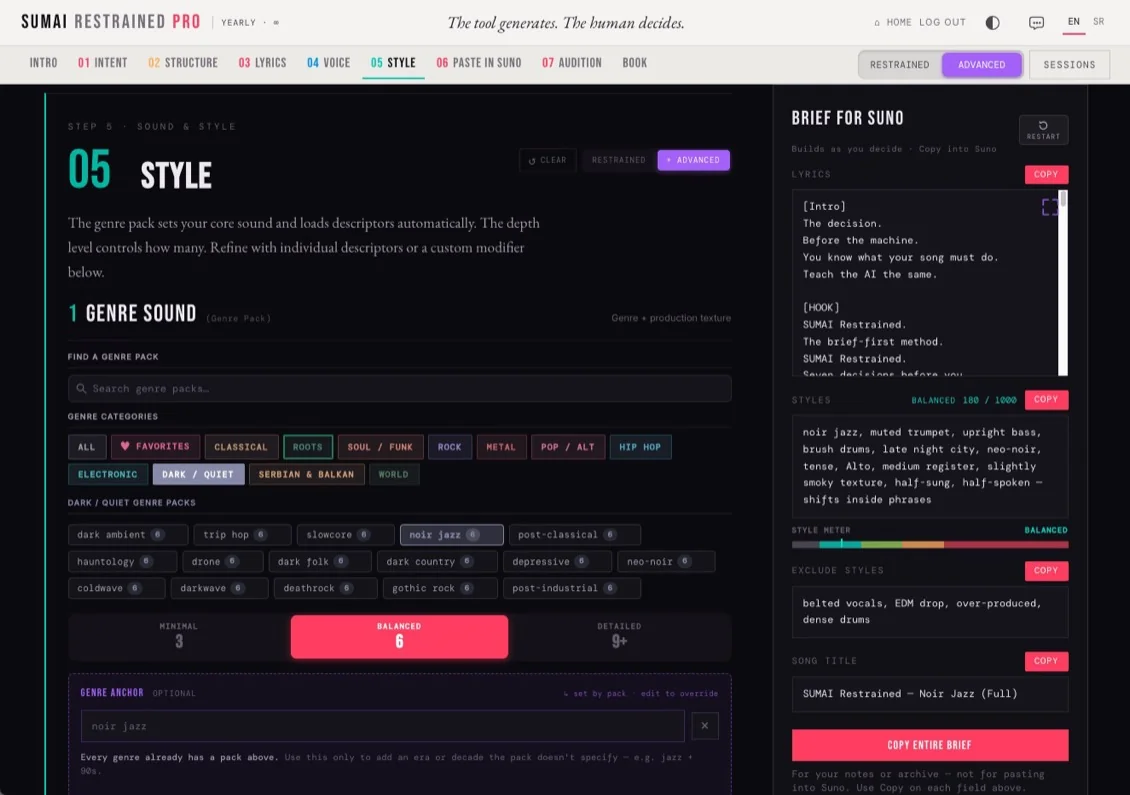
Expansion Packs are optional extras for going much deeper into specific genres and regions. They're bought separately and aren't part of the standard SUMAI PRO subscription, which already comes with a full library of its own.
Expansion Packs are one-time purchases. Your purchase remains associated with your SUMAI account. An active SUMAI PRO subscription is required to use Expansion Packs in SUMAI PRO. If your subscription ends, you keep what you bought. Expansion Packs are available again when you activate your subscription again.
Restrained is SUMAI's core method — a small number of deliberate, high-impact decisions instead of open-ended options, so results stay consistent. Extended mode unlocks the full tag-level detail underneath for producers who want granular manual control. Both are available throughout PRO. (This is separate from Suno's own Simple/Advanced Mode toggle — see the next question.)
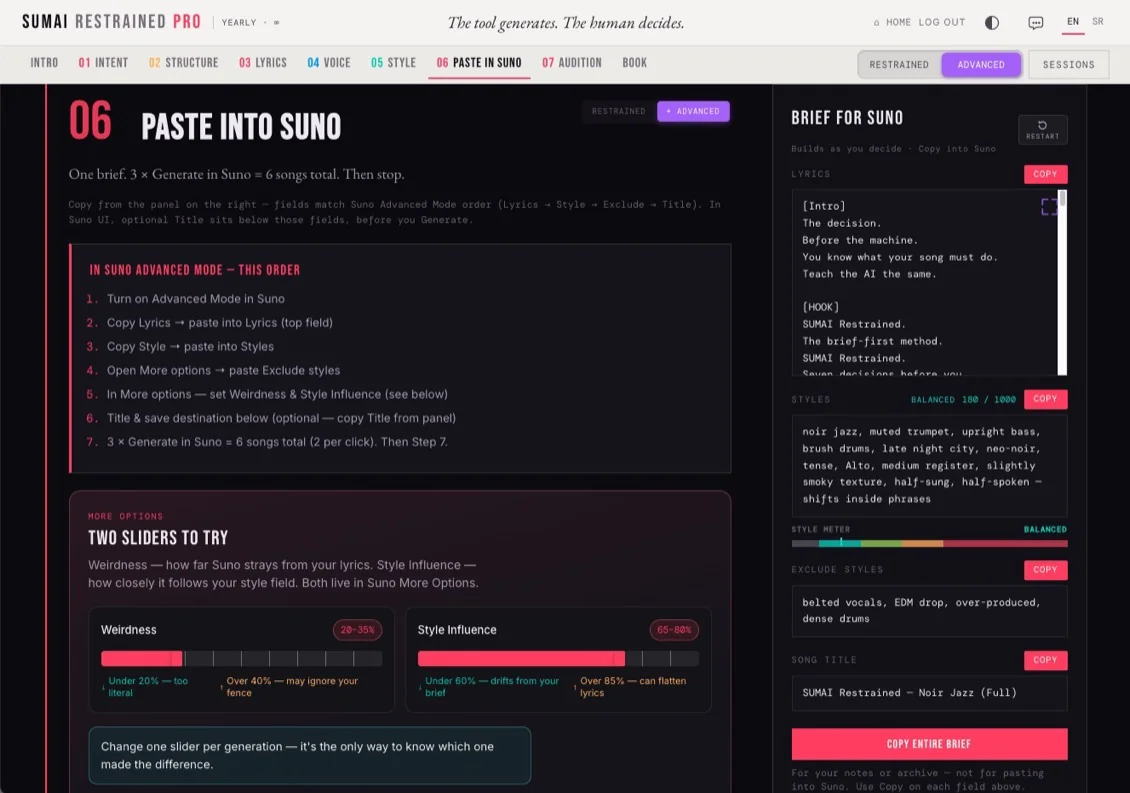
These are Suno's own two ways of generating a song, and SUMAI now supports both. Simple Mode gives Suno one big description box; Advanced Mode gives you separate Lyrics, Styles, and Exclude Styles fields. Toggle SIMPLE or ADVANCED right above your brief panel, and SUMAI adapts what it gives you to paste — Advanced still gets Lyrics, Style, Exclude Styles and Title; Simple gets a Main Prompt and Style. The split follows one rule either way: Main Prompt (or Intent) is what the song means and feels like — Style is how it should sound. Keep those separate and Suno has less to guess.
Yes — in SUMAI PRO. The theme button in the header swaps between light and dark, and right next to it, same row as the Restrained/Extended switch, there's a toggle to turn the on-hover tooltips on or off. Whatever you pick is remembered next time you open the app.
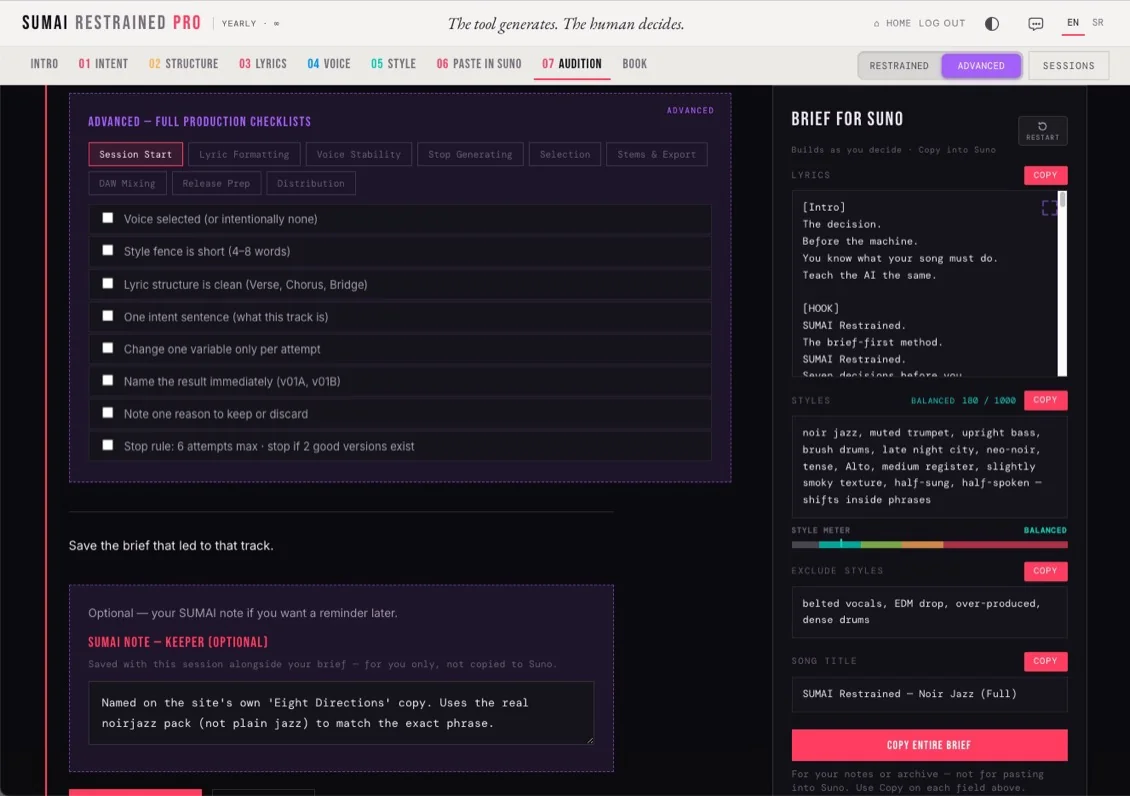
A structured set of checks — covering session start, lyric formatting, voice stability, and more — built into PRO's workflow so you can catch inconsistencies before spending a Suno generation on something that won't work.
A small checker at the end of the Paste step. Paste any text — a prompt Suno gave back to you, or your own brief — and press Check it. SUMAI flags unbalanced [brackets], text longer than Suno's 1,000-character Style limit, doubled or empty tag leftovers (like ", ,"), and technical sound terms that may belong in Style. It only checks. It never rewrites your words, and nothing leaves your browser.
Yes — SUMAI PRO saves sessions in your browser so you can return to them anytime. They're stored locally, not on our servers. Use Export All in the Sessions panel to download your whole library as a backup file, and Import to restore it on another browser or device.
Open the Sessions panel and hit Export All — it downloads your whole library as one file. Import on the same screen restores it, in this browser or a new one. Worth doing before clearing browser data or switching devices.
Yes — every field is written as ready-to-paste text, and you can copy your finished brief at any point in the process.
PRIVACY & SUPPORT
Yes. What you build — your sessions, briefs and lyrics — stays in your own browser, never on our servers, and we don't sell your data.
Yes — up to 2 at a time. Logging out only ends the session on that browser, it doesn't free the slot. To move to a third device, use Deactivate This Device on one of the other two first — that's the one that actually releases it.
Only if you'd exported a backup first. Sessions live in your browser's local storage, not on our servers, so nothing can be recovered on our end without one. Export All in the Sessions panel downloads a backup file anytime — do that now so a cleared browser or new device doesn't cost you anything next time.
SUMAI is built on the method described in the book SUNO — Restrain to Music by Boris Injac (Ultimotiva) — the tool is the practical, guided version of that method. Read more on the book site.